Chapter 1. The Mobile Revolution
Over the Labor Day weekend, my family visited Grinter Sunflower Farms for the first time. It’s a farm in Kansas that lets people come explore the sunflower fields and take photos. It was a fun time.
We had never been there before. So, I grabbed my Canon G7X Mark II point-and-shoot camera and my iPhone and turned on Google Maps to find the farm. I followed what the app told me was the fastest route, which was accurate.
After we parked and walked to some taller sunflowers, I quickly learned that although my Canon camera takes really nice photos, the iPhone did a better job on this particular day (figure 1.1). It was still bright and sunny, and the iPhone camera has some automatic adjustments built in that change depending on what the camera sees. We ended up with some great photos.
When we returned home, my daughter and wife both AirDropped photos from my iPhone to theirs, edited the photos a bit with a photo editing app, and shared the photos to their preferred social media accounts.
See what happened? My mobile phone was an important tool that helped me enjoy the day in multiple ways—and I didn’t even make a phone call! Mobile technology is now an indispensable tool for my personal life. It’s also becoming indispensable to the library, as well.
The first time I saw a mobile phone was in the mid- to late 1990s. My supervisor’s spouse was a Realtor, and he had a car phone. I thought it was pretty darn cool at the time.
I thought mobile phones were created sometime in the late 1980s to early 1990s; however, I was wrong. A few months ago, I was watching an Andy Griffith Show rerun (hey—don’t knock what I binge-watch!), and someone on the show was showing off his car phone—that would be around 1966.
Out of curiosity, I did a bit of reading and found out that car phones have been around since the 1940s. Here’s what Wikipedia said:
In the United States, engineers from Bell Labs began work on a system to allow mobile users to place and receive telephone calls from automobiles, leading to the inauguration of mobile service on June 17, 1946 in St. Louis, Missouri. Shortly after, AT&T offered Mobile Telephone Service. A wide range of mostly incompatible mobile telephone services offered limited coverage area and only a few available channels in urban areas. As calls were transmitted as unencrypted analog signals, they could be eavesdropped on by anyone with radio equipment that could receive those frequencies. The introduction of cellular technology, which allowed re-use of frequencies many times in small adjacent areas covered by relatively low-powered transmitters, made widespread adoption of mobile telephones economically feasible.1
I had no idea that mobile phone technology was so old! But I do know this: the current mobile revolution has picked up a lot of steam in the last twenty years. I don’t see it slowing down any time soon.
The mobile revolution as we know it today came about as a merging of mobile technologies, including mobile phones, the mobile internet, and Web 2.0. Suddenly, people had smarter devices that could connect (almost) anywhere. They could use their mobile device as a phone, and they could also capture other types of communication, such as taking photos and videos. We could suddenly type on a familiar-looking keyboard, instead of using the numeric keypad on older mobile phones. Besides text messages, we could now communicate using e-mails and through social media.
Location-based services sprang into existence, also based on mobile technology. Software programs became mobile apps downloaded from an app store. Mobile connection speeds became really important as people started to need to connect in real time to people and to an app, such as a mobile map that provides alternate routes during congestion on a highway.
And the mobile revolution was born.
Today’s Mobile Technology
Today’s mobile technology landscape includes lots of larger and smaller devices, connectivity to the internet, and interaction with cloud-based services. These devices include the following:
Smartphones: Smartphones, as we think of them today, have been around since Apple introduced the iPhone in 2007. The iPhone was sort of a combination of a PDA (personal digital assistant) and an easy-to-use mobile phone. Today’s smartphones rely on a variety of apps for their functionality. Currently, Apple and Android devices make up the majority of the smartphone landscape.
Tablets: Tablets function much like large smartphones. They share the same operating system (OS) as a smartphone and share many apps as well. Tablets can function as a laptop replacement for some people and as a tablet-sized accessory for taking notes and for working with a variety of apps.
Laptops: Many personal computers have shrunk from desktop-based systems to more mobile-friendly laptops. You will find both Windows- and Apple-based systems.
Internet of Things: Smartphones, tablets, and laptops aren’t the only mobile-friendly devices in today’s mobile world. The intersection of sensors, small hardware, and cloud-based connectivity has made it easy to create small devices, connected to the internet, that do a variety of things. For example, a smartwatch or an activity monitor can count your steps, monitor your sleeping patterns, or check your heart rate.
Add-ons to mobile devices: Finally, there are add-ons to mobile devices that extend the functionality of the device. For example, you can add microphones, camera lenses, and different types of styluses (such as the Apple Pencil); cases and covers that add a keyboard to a tablet; and devices that interact with mobile apps, such as the Square credit card reader.
Square credit card reader
There’s an emerging industry of smart devices that interact with the systems in your home. Think of smart light bulbs, smart window blinds, security cameras, thermostats (figure 1.3), Amazon Alexa and other smart speaker systems, or smart power outlets. Each of these home-based systems can interact with your mobile device via an app.
Apps: Apps are software programs written for a mobile device that may be purchased and downloaded from an app store. Smartphones and tablets run on app-based technology. Even your smartphone’s phone is a type of mobile app. Apps also interact with the mobile device’s functionality, including messaging, notifications, GPS tracking, and the mobile device’s audio and camera.
Internet connection: Internet connectivity is very important in today’s mobile world. You simply have to be connected to make apps and services fully function. Today’s 4G standard for cell-based speeds is just starting to be replaced with faster, more stable 5G technology. The next few years should be very interesting as 5G technology becomes the new (faster) standard.
Statistics about the Mobile Revolution
Statistics help illustrate the rapid expansion of the mobile revolution. Let’s look at some numbers that show where we are in today’s mobile world.
As of 2019, according to Pew Research2
- 81 percent of Americans own a smartphone.
- 73 percent have broadband service at home.
- 27 percent of Americans do not subscribe to home broadband.
- 37 percent of US adults say they mostly use a smartphone when accessing the internet. If you’re 18 to 29 years old, that percentage goes up to 58 percent.
- 17 percent of adults are smartphone-only internet users.
To me, these statistics are pretty amazing. The first one makes sense, and I’m surprised it’s not larger. I mean, if you want to own a phone these days, you are more likely to buy a cell phone rather than a landline phone. And if you purchase a cell phone, you are probably going to buy a smartphone of some type. You don’t have many options when it comes to non-smart cell phones these days.
I’ve definitely seen the fourth statistic in action: people mostly using a smartphone to access the internet. I usually have my iPhone with me, so I’ll often start a search there. If I want to do more serious exploring, I’ll get my laptop. For me, using a laptop is easier when I’m opening multiple tabs, quickly scrolling around, and so on. But my twenty-year-old daughter? She has the same tools that I have, but she is definitely a smartphone-mostly internet user.
My family is very fortunate to have multiple devices and a strong Wi-Fi broadband signal in our home. Other people don’t have those as an option. They might be part of the 17 percent of people who are smartphone-only internet users. If your only option is buying one device, you are most likely going to buy a smartphone. That way, you will have the ability to talk, text, e-mail, use apps, and so on. Or, more importantly, you will have a greater ability to keep in touch with family and friends.
A smartphone is not always the best device in every instance. For example, have you ever done your taxes on your phone? If so, it probably was not a stellar experience (as if doing taxes is ever a stellar experience). Training classes are generally better on a larger screen. Keystroking longer documents (such as this issue of Library Technology Reports) is much easier using a normal keyboard and more than two fingers.
Other interesting statistics on smartphone usage (from Leftronic):3
- Smartphone usage statistics suggest that an average person spends 2 hours and 51 minutes per day on their mobile device. What’s more, 22 percent of us check our phones every few minutes, and 51 percent of users look at it a few times per hour.
- An average smartphone user has 63 interactions with a smartphone every day.
- Mobile phone usage statistics say that 90 percent of mobile time is spent on apps.
- 79 percent of adults have their smartphones with them 22 hours a day.
iPhones now have the ability to track usage, so I can check my own smartphone use. You can usually find this information in your smartphone settings. I fall right below the average: 2 hours, 28 minutes is my current daily average for my own smartphone use.
One other thing to note: the statistic showing that 90 percent of mobile time is spent on mobile apps is a bit misleading, I think. I’ve heard people quote similar stats and then say, “So we need an app for our library.” I won’t argue whether or not you need an app; having multiple ways to access your library is never a bad thing!
But the thing to remember with a smartphone is that every single interaction you do on a smartphone is done on an app. For that matter, the actual phone-calling part of your smartphone is performed using an app.
Plus, people do so many different things using their smartphones. For example, looking at my use, here’s what you will see:
- Social media apps (currently TikTok, Facebook, and Instagram)—This makes sense. Social media has a mobile-first strategy that even extends to the smartphone’s functionality when using those apps, like the camera, the keyboard, or even sharing your location with friends.
- Exercise app—I have a goal to run a 5K and am using the Couch to 5K app to track progress. This app tells me what to do when training (run, walk, etc.), keeps track of my progress, and maps my run via GPS.
- Web browser—I use the web browser a lot to look up random things. Safari (and Chrome, and Firefox, and Brave, etc.) are all smartphone app versions of web browsers.
- Messaging—I have a lot of different messaging services on my phone—all app-based.
- Wikipanion—I love this app version of Wikipedia (figure 1.4) and use it almost every day.
- 1Password—This is a handy app that stores passwords.
I also have a variety of e-book readers, guitar tuners, metronomes, a game or two, musical instruments, to-do lists, the daily news, and so on all in app form on my phone. I turn the air conditioning on in my house with an app.
My point? Apps haven’t replaced websites. Apps have replaced so much more, including physical items (e.g., a guitar tuner), utilities, print books, still and video cameras, the Franklin Planner (not that I ever actually used one of those), and even a notebook for taking notes.
This is a huge shift in our society, and it’s something that librarians should try to understand about today’s world (and our customers). I love what Scott Edmonds says on the Salesforce.com blog about what consumers are doing on their smartphones:
What are they doing in those apps? Lots of stuff. According to Google, the number one smartphone activity outside of work is shopping. According to a Deloitte survey, 57 percent get their news on apps, 45 listen to music, and 31 percent stream films. Twenty-nine percent use their phones as digital wallets, even when purchasing in-store. Many use them as smart assistants, and a growing number use them to hail transportation.4
How Mobile Technology Has Changed Business Practices
This leads us to our next point: how has mobile technology changed current business practices? Let’s briefly examine two business practices: communication channels and equipment.
Communication Channels
Meetings in today’s world don’t have to be face-to-face anymore. Instead, we can use a meeting tool like Zoom or Microsoft Teams. Follow-up communications can be anything from a phone call to an e-mail to a text message.
At my library, we are currently holding all-staff meetings using Zoom. Staff connect using a variety of devices, including different types of mobile devices. They work great for this.
Equipment
Businesses install a wide variety of business-related equipment. Mobile technology has made some of this more within reach for a small business owner. It also levels the playing field for some. Here are some examples:
- Airport ticketing. With my smartphone, I can check in from anywhere—no more long check-in lines at the airport. Also, I have my ticket on my phone, so I don’t have to juggle as many things. If the gate changes, I get a text. In this case, using app-based tools instead of traditional airport ticketing has made my life easier.
- Credit card readers, such as Square, have leveled the playing field for small businesses. For example, when my son was in high school, the hair stylist he went to couldn’t take credit cards—just cash and checks. Then one day, she started using Square, and suddenly she could take credit card payments (which was great, because we don’t usually carry cash). She didn’t have to purchase a point-of-sale system. Instead, she was able to start using the Square magstripe reader and app for free.
Square
- Social media = more communication and connections. Obviously, social media has opened up the door for direct connections and communications to customers. It has also created new immediate customer service and support lines where they didn’t necessarily exist before.
- GPS mapping. GPS mapping has created new businesses. For example, Uber is a business based on GPS mapping. Today, many pickup and delivery companies use GPS mapping and tracking to get around town and to find you.
- App-based systems. Sales reps and field operators can now track their day and daily expenses on apps and have those expenses connect back to the accounting system.
- Visual tools. Still and video cameras make it easier to do a variety of business-related tasks. Video conference calls definitely fall into this category. Recently, Amazon has started using smartphone cameras at delivery points. The delivery person takes a photo of your package so you know where it is (and Amazon can verify they delivered it). Personally, I’ve used my camera in a server room to share photos of the switch I was about to flip (to make sure it was the right one).
There are many more examples like this. Mobile technology has definitely had a major impact on business practices. The same types of changes have also affected libraries (which we’ll examine in the rest of this publication).
Mobile First and Digital First
There are two terms that should be introduced before we go further: mobile first and digital first.
Mobile first design is a simple concept. It’s basically what it sounds like: design for mobile devices comes first. As mobile device use increased, web-based companies (think Google and Facebook) started focusing on making sure they focused first on their mobile users.
In the library world, this means that as you redesign a website, you should focus first on the mobile experience and then design from that to larger screens. Doing this ensures that you have designed what is quickly becoming the most important user experience (the mobile one) first.
Digital first is related to having a mobile-first strategy. Having a mobile-first strategy means that you have already shifted to a digital-first strategy as well.
Here’s a simple definition of digital first: “Simply put, digital-first means approaching any new opportunity, or problem, with the assumption that the solution should be as digital as possible.”5
I love that the author started out with “simply put.” Because shifting to a digital-first mindset for your organization can be anything but simple. For example, a library having a digital-first mindset means to shift from primarily offering in-building services to having digital services be the primary version of that service—so storytimes, classes, events? Digital first. Calendar of events? Digital first. Here are harder ones: collections, reference questions. Yes, shift those to digital first as well.
Why move to digital first for most, if not all, library services? Moving to digital first gives more people the opportunity to use library services. For example, with a library storytime event, you can fit only so many people into a room in a library. But if you move all your storytimes online, more people can attend. You have the potential to have more people attend when the digital event happens. Your event can also be attended after the fact because it’s been posted online (e.g., to your website or to YouTube).
For example, Topeka & Shawnee County Public Library is doing online only storytimes right now. One example of is this Facebook video: “Musical Storytime with Kyler—Five Little Monkeys.” This storytime video (figure 1.5) has been viewed over 1,500 times on Facebook. Our largest physical space in the library building holds approximately 300 people; Kyler’s storytime sessions are usually popular and draw twenty to thirty kids and parents. Having over 1,500 people virtually attend a storytime by watching a video can easily translate to one of the library’s most popular events ever. Since it’s in video format, it can continue to be watched until we decide to delete the video.
Global Pandemics (Hopefully Not Plural)
I also wanted to mention that during the current global pandemic, mobile technology has made working from home and connecting to other staff so much easier! At my library, we started working from home in March. We are mostly back to the building now, but we also have the ability to work from home as needed.
Because of the different types of mobile and digital technology tools that our staff have access to, the following have been possible:
- We have been able to send some staff home with laptops (and in some cases Wi-Fi hot spots) so they could still do their work.
- Staff are making storytime videos using their smartphones.
- Most of our back-end systems are web-based, so payroll and purchasing could easily continue from anywhere.
- E-mail and Zoom meetings were easy to set up and attend.
- File access and storage were easy because of Microsoft Office 365. We can access our work files from anywhere.
These types of things would have been much harder to deal with in a more traditional, non-web-based, non-mobile-technology landscape. But because we were (mostly) set up to work from anywhere, making that leap (largely over a weekend) was a relatively easy shift for us.
Emerging Trends with Mobile Technology
In case you haven’t noticed, mobile technology is not slowing down. In fact, I’d say the mobile revolution is just picking up steam! For example, think about the Internet of Things and smart devices. These are largely tools and services that run on web-based and mobile apps.
Smart light bulbs, power outlets, and window shades can be controlled by an app on a phone. Many people’s jobs depend on apps (delivery drivers, salespeople, Uber drivers, package delivery, etc.).
And 5G technology is right around the corner. We will continue to see mobile developments as 5G technology solidifies in the next three to five years.
How Mobile Technology Is Affecting Today’s Library
This is a very exciting time. Mobile technology is changing everything about modern life, and it will also affect the library world. In fact, mobile technology is already changing how libraries operate. For example, here are some mobile-focused things that my library does:
- We have a mobile app for our website/catalog, as well as apps for databases, e-books, and mobile printing.
- Our responsive website works on mobile devices.
- Smartphones have replaced many of our service phones, desk phones, and security and maintenance phones and radios.
- RFID-enabled smart wands are used to find lost items and for inventory. This is one of many library-related tools that is built to be mobile rather than tethered to a workstation.
- My library uses tablets for our book bike service, for signing patrons up for events, as a catalog kiosk in the building, for meeting room digital signage, for study room reservations, and for creating videos.
- We are going through a Wi-Fi upgrade project this year in order to continue to offer great Wi-Fi in our building.
- Library staff can now access their files anywhere there’s an internet connection using Microsoft 365.
- We currently use a mix of Zoom and Microsoft Teams for video meetings.
- We have started to move library staff from desktop workstations to a more flexible laptop-based system. This gives staff the ability to take their work laptop out of the building as needed.
And that’s just scratching the surface! It’s time now to take an in-depth look at mobile in the library.
Notes
- Wikipedia, s.v. “History of Mobile Phones,” last updated September 25, 2020, https://en.wikipedia.org/wiki/History_of_mobile_phones.
- Monica Anderson, “Mobile Technology and Home Broadband 2019,” Internet and Technology, Pew Research Center, June 13, 2019, https://www.pewresearch.org/internet/2019/06/13/mobile-technology-and-home-broadband-2019.
- Marko Milijic, “29+ Smartphone Usage Statistics: Around the World in 2020,” Leftronic, October 7, 2019, https://leftronic.com/smartphone-usage-statistics.
- Scott Edmonds, “What Are Consumers Doing on Their Smartphones, Anyway?” The 360 Blog, Salesforce, February 26, 2018, https://www.salesforce.com/blog/consumer-smartphone-use-blog/.
- Wilson Fletcher, “Digital-First: The Essential Modern Business Mindset,” Medium, October 23, 2018, https://medium.com/thehumanlayer/digital-first-the-essential-modern-business-mindset-9e116f61407e.

Figure 1.1
Sunflower photo taken with iPhone 11 Pro

Figure 1.2
Screenshot of Andy Griffith on a car phone
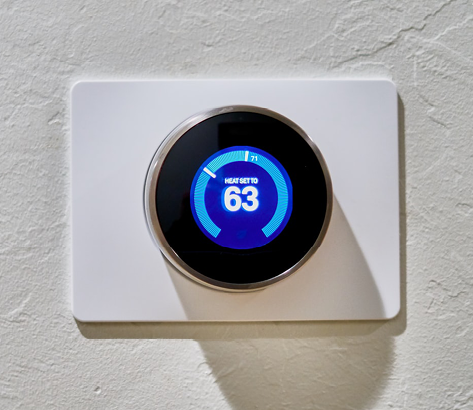
Figure 1.3
Nest Thermostat. (Source: Photo by Dan LeFebvre on Unsplash. Used with permission.)
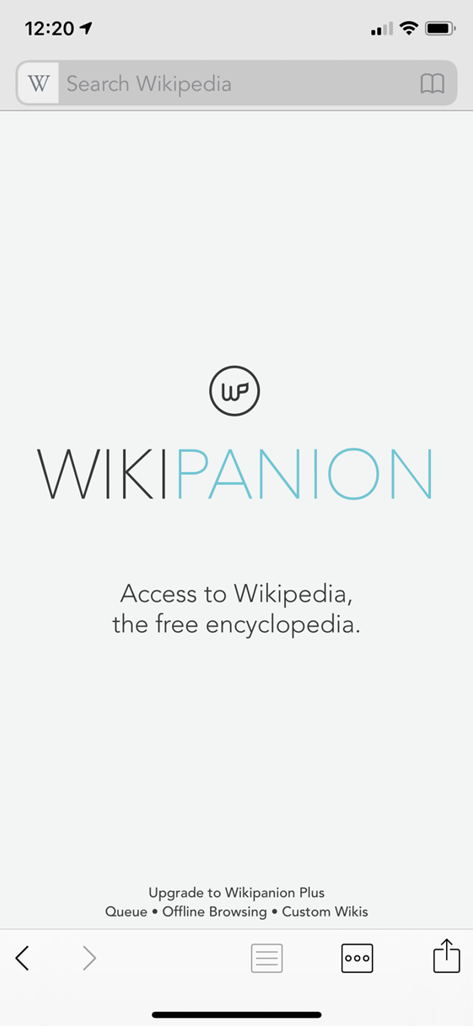
Figure 1.4
Wikipanion smartphone app

Figure 1.5
Musical Storytime with Kyler